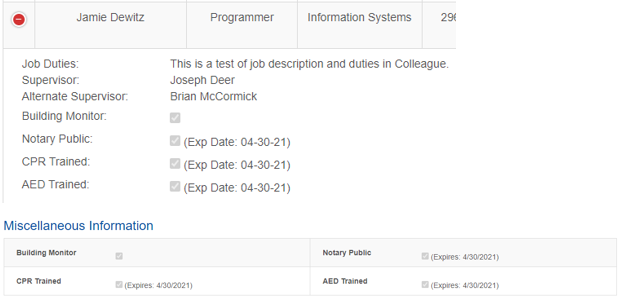
Intended Audience: Administrative Assistants and others tasked with entering an individual employee's information into the Hawkeye Employee Directory
This series of questions will provide information on entering employee information into the Hawkeye Employee Directory.
---------------
Q: Where do I put location and phone information into Colleague?
A: Use the OFFI screen, see below.
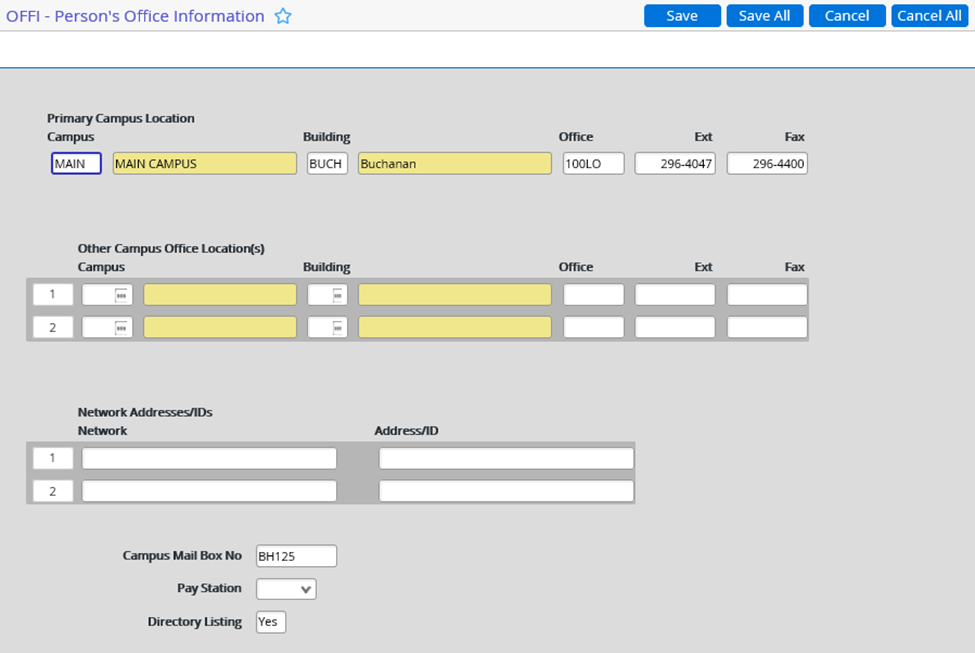
- Type ... in the Primary Campus field for a list.
- Repeat for the Building field.
- Enter the Office, Extension and Fax numbers as well as Campus Mail Box No into the appropriate fields.
- The office location will be the room number of the new hire.
- Extension, fax, and mail box no will also need to be filled in as these fields are critical information for our employees to have both in their records in Colleague as well as the Hawkeye Directory.
- Directory Listing defaults to Yes and will only be set to if HR manually fills it out per the request of the individual that does not want to be shown in the Hawkeye Directory as well as the Hawkeye website's staff and faculty directory.
---------------
Q: Where is OFFI information used in the Hawkeye Directory?
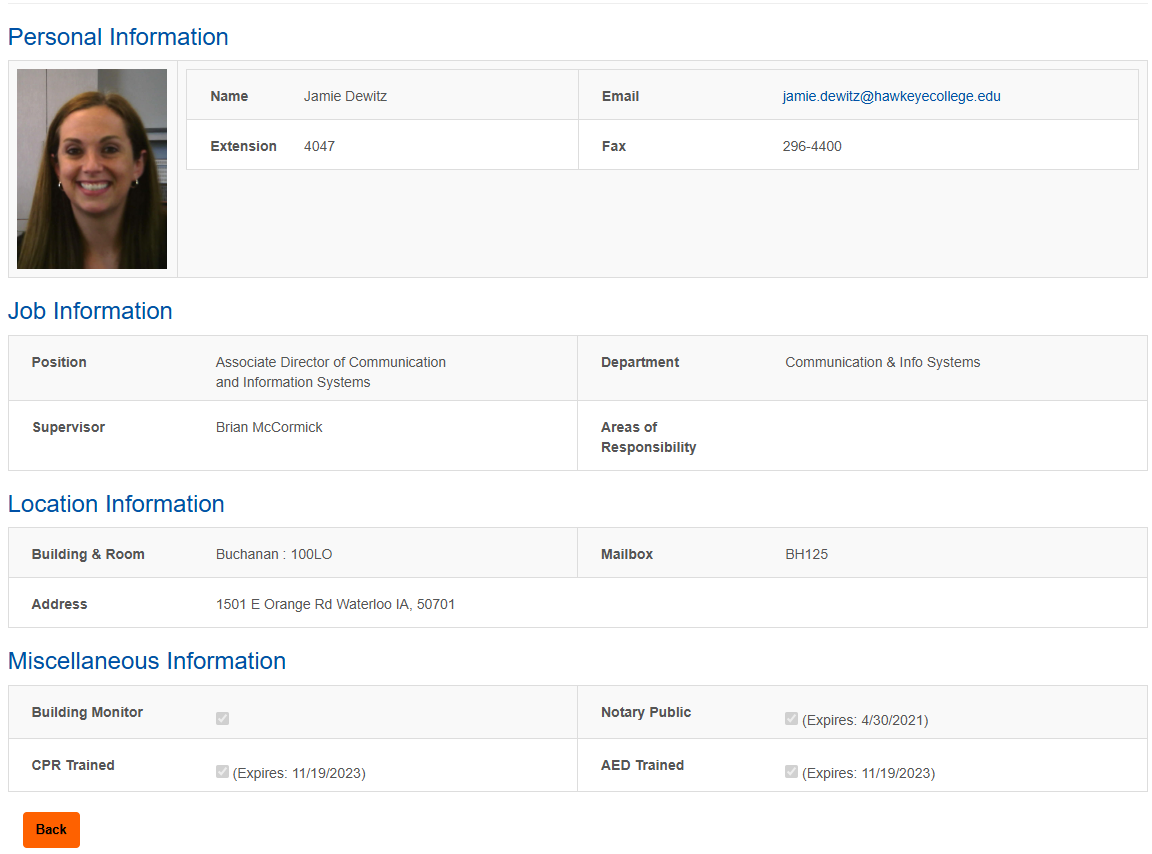
A: Location and phone information is used on the home page as well as the details page on each record.
Home Page:

The mail box number is shown on the Details page and is found by clicking on the Details button from the home page.
Details:
---------------
Q: Where can I see job duties in the Hawkeye Directory?
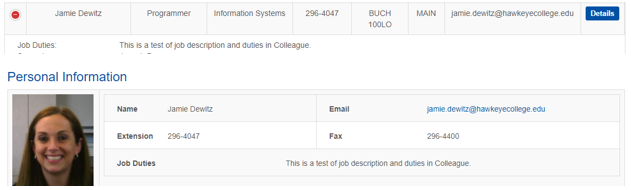
A: Job duties are located in the same place as before; the home page and the details page of each person's record.
---------------
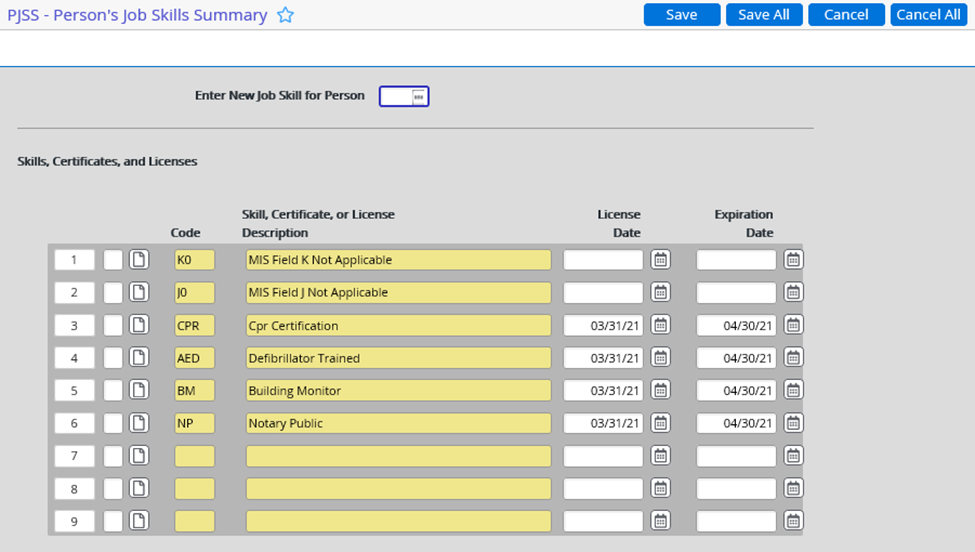
Q: How do I tell Colleague that a person has a CPR certification, is trained on defibrillators, is a building monitor, or is a notary public? Where do I store their respective expiration dates?
A: A person's skills certificates, licenses, and their expiration dates can be stored on the PJSS screen.
---------------
Q: How does the Hawkeye Directory reflect the certificates I just entered into Colleague?
A: The PJSS information will show up on the home page and the person details of the Hawkeye Directory.